


Use real-world dataset to display how to filter dataset with different methods
In the last two articles, I displayed how to slice a dataset and select the slices, how to sort the dataset using a real-world dataset with Python Pandas. In this article, we will continue using the same dataset to learn how to filter the dataset.
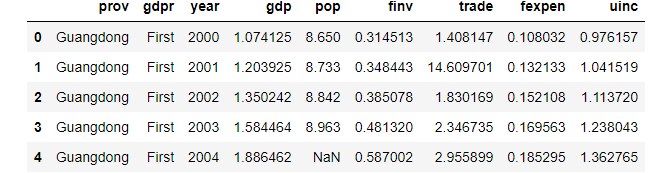
Let’s read the dataset first before starting the topic.
# Load the required packages
import pandas as pd

# Read the data
df = pd.read_csv('./data/gdp_china_renamed.csv')

# diplay the first 5 rows
df.head()
1. Filter Method
DataFrame.filter(items=None, like=None, regex=None, axis=None)is used to subset the DataFrame rows or columns according to the specified index labels.
(1) Filter columns
(i) select columns by name
The items parameter is used to filter columns by name. For example, filter the three columns as follows.
df.filter(items=['prov','year','gdp'])
df.head()
(ii) select columns by regular expression
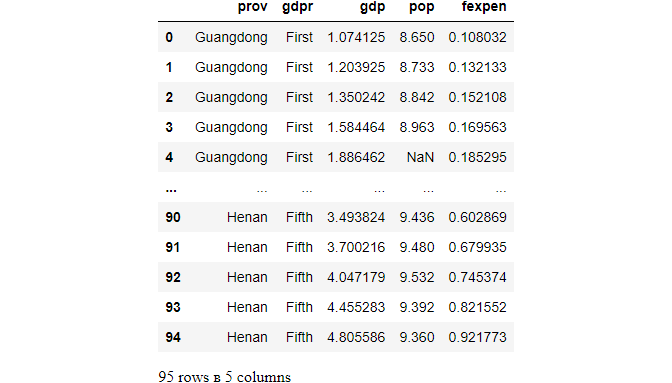
We can filter the columns that contain a character or characters using regex. For example, we filter the columns contains p.
df.filter(regex='p',axis=1)
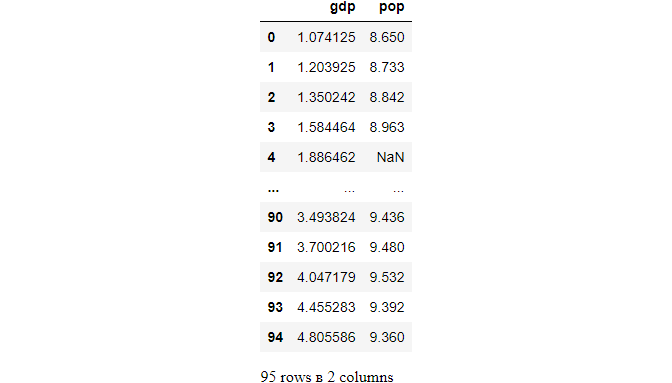
However, regex='p$' will select the columns that contain p at the end/
df.filter(regex='p
(iii) select columns by like parameter
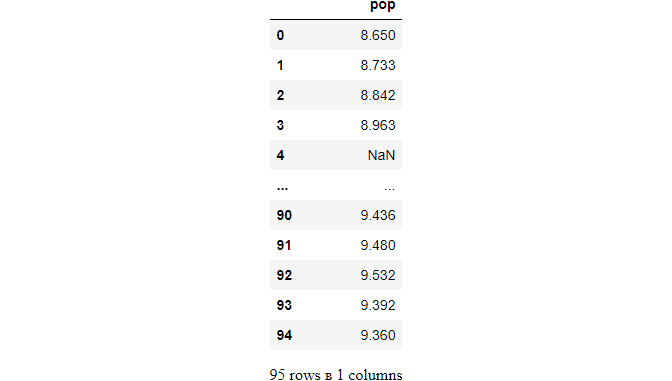
Similar with regex parameter, we can use like parameter to filter columns that contain a character or characters.
df.filter(like='op',axis=1)
(3) filter rows
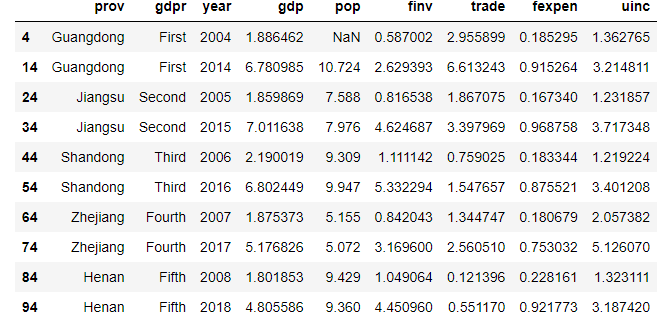
For example, filter rows whose index contains 4.
(i) 4 is at the end
df.filter(regex='4
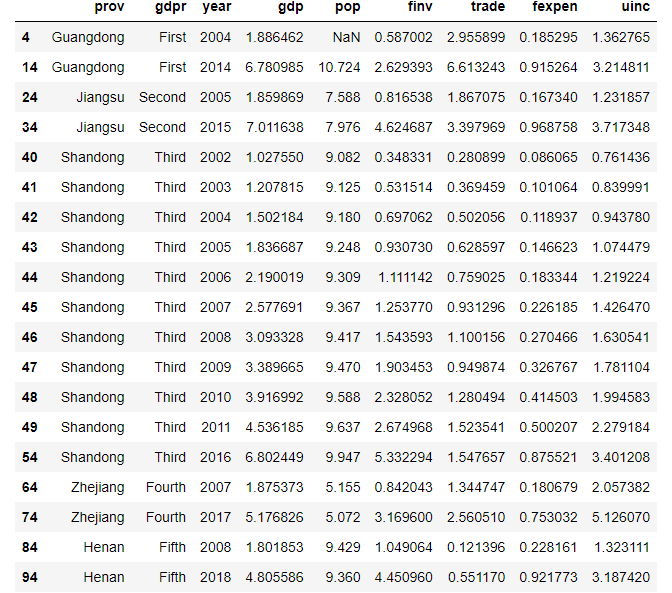
(ii) 4 can be anywhere
df.filter(like='4',axis=0)
2. filter rows by conditions
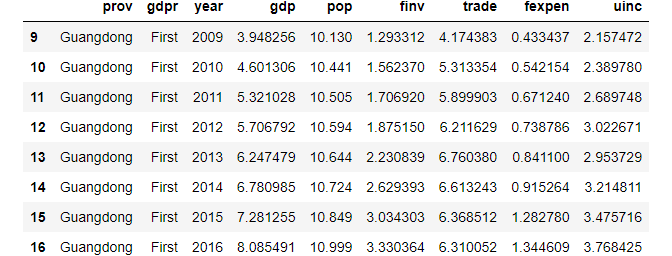
For example, filter rows in which pop is greater than 10.
df[df['pop']>10]
Boolean operator used to subset the data:
>   greater;
>=  greater or equal;
<   less;
<=  less or equal;
==  equal;
!=  not equal;
Besides, we can filter string columns. For example, we select the DataFrame in which gdprstarts with string’F’.
df[df['prov'].str.startswith('G')]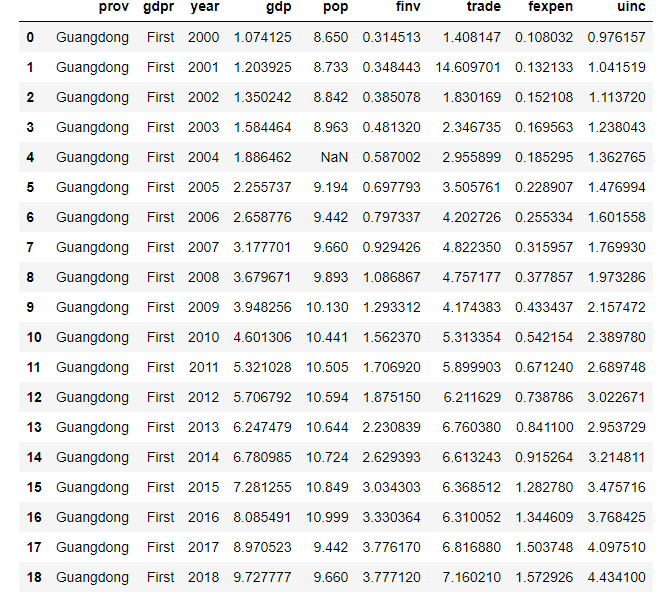
3. filter by multiple conditions
(1) Using loc with multiple conditions
For example, we filter the rows where pop is greater than 10, gdp is greater than 6, gdpr starts with string ‘F’.
df.loc[(df['pop']>10)&(df['gdp']>6)&(df['gdpr'].str.startswith('F'))]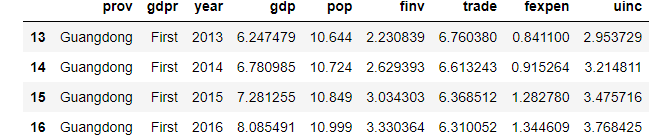
(2) Using NumPy where with multiple conditions
We can achieve the above results using the Numpy where()function.
import numpy as np

idx = np.where((df['pop']>10)&(df['gdp']>6)&(df['gdpr'].str.startswith('F')))
idx
(array([13, 14, 15, 16], dtype=int64),)# Dsiply it as a DataFrame
df.loc[idx](3) Using Query with multiple conditions
Now, let’s use pandas query() function to do the above task as follows.
df.query("pop>10 & gdp>6&gdpr.str.startswith('F')")(4) Using eval with multiple conditions
Besides, we can also use Pandas eval to filter the DataFrame.
df[df.eval("pop>10 & gdp>6&gdpr.str.startswith('F')")]4. Online course
If you are interested in learning data analysis in details, you are welcome to enroll one of my course:
Master Python Data Analysis and Modelling Essentials


